Guide:Set Folder Name and Icon
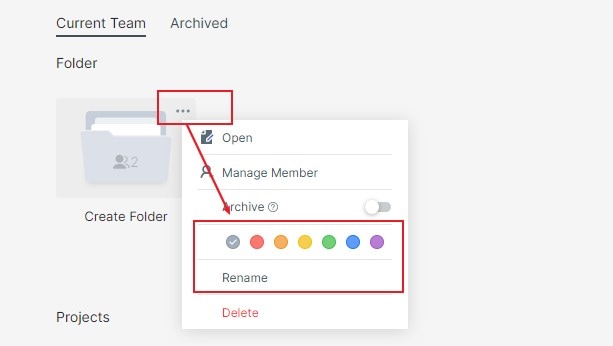
Select a folder, click the "More" button in the upper right corner, and select "Rename" or color to modify the project group name and color. For a related workflow, see online prototyping tool.
Select a folder, click the "More" button in the upper right corner, and select "Rename" or color to modify the project group name and color. For a related workflow, see online prototyping tool.